Installation
Install Relay, set the game build, and check the files it replaces.
updated 2026-10-24
Install
-
Copy the
dzr-relayfolder into your server'sresourcesfolder. -
Add to
server.cfg:ensure dzr-relay -
If your server runs a game build older than 3889, also add:
sv_enforceGameBuild 3889Relay does not start on older builds.
-
Restart the server.
Folders
| Folder | Contents |
|---|---|
stream/map |
Rooms, props, placements, and collision |
stream/gta |
GTA files Relay replaces |
stream/optional |
The occlusion file, see below |
audio |
Door and room sound settings |
No file is encrypted. You can open them in CodeWalker or Sollumz.
Files Relay replaces
Relay replaces three GTA files around the substation:
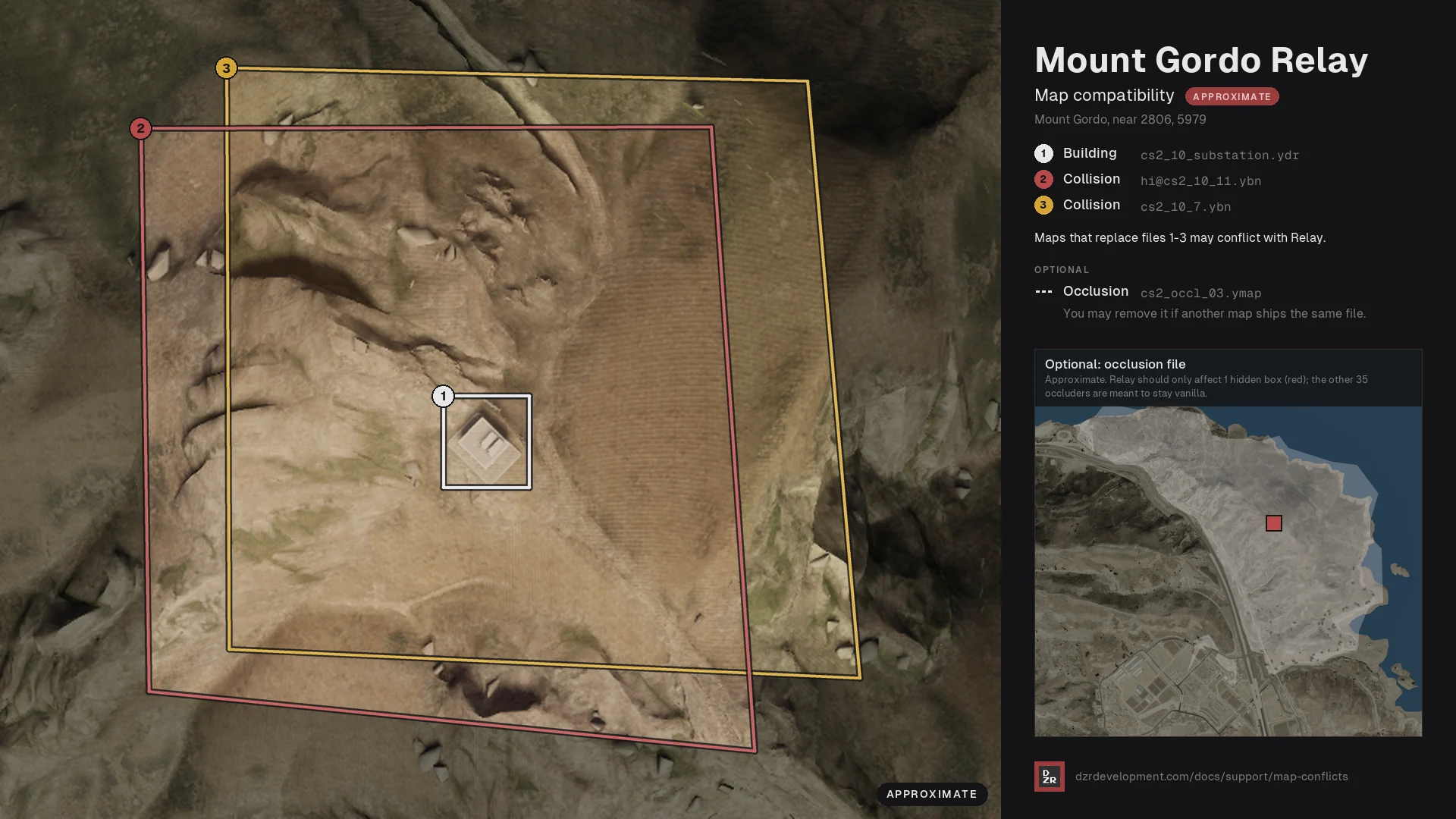
| File | What it is |
|---|---|
cs2_10_substation.ydr |
The substation building |
cs2_10_7.ybn |
Collision around the building |
hi@cs2_10_11.ybn |
Collision around the building |
Another map that replaces any of these files may conflict with Relay. If it does, run only one of them, or merge the files. Search your resources for these file names before you install.
Optional occlusion file
stream/optional/cs2_occl_03.ymap removes one hidden occluder inside the
substation so the rooms draw correctly. It loads by default.
It may conflict with another map that ships the same file. If so, keep one merged copy with both maps' removals, or delete ours. Without it, the interior may disappear when seen from outside, and the outside may flicker from inside.
See Map conflicts for how to find and fix a conflict.
Uninstall
Remove the ensure line and delete the folder. Relay keeps no data.
Need help with this? Open a ticket on Discord or read the support guide.